When photographers think about SEO, they usually think about keywords, blog posts and alt text. All of those things matter, but they are only part of the picture.
The way your website is designed also affects how easily search engines can understand your pages, how quickly they load and how easily visitors can find what they need. A beautiful website can still make SEO harder if its heading tags are out of order, its images are oversized or its most useful content is difficult to access on mobile.
The good news is that Showit gives you the tools to build a website that looks like you and supports your SEO. The key is knowing which design choices matter underneath the visuals.
Your website need to be Built for people, search engines and AI Agents
Your ideal clients are not the only ones exploring your website. Search engine bots crawl your pages to understand your business, while AI agents interpret your content to decide when and where to recommend it.
“Your website isn’t only visited by people. Search engine bots and AI agents visit it too. A clean, well-structured website isn’t just nice to have anymore. It’s a necessity.”
Caitlin Christensen
Showit SEO strategist and founder of Creative SEO Coach
Is Showit Good for SEO?
Yes, Showit can be good for SEO. The platform lets you set page titles, meta descriptions, text tags and image descriptions. It also creates a sitemap and canonical URLs for your Showit pages. If you have a Showit blog plan, your blog content is managed through WordPress while the design is created in Showit.
But Showit does not optimize every decision for you. Its creative freedom means you or your template designer still need to make smart choices about structure, mobile design, images and navigation.
Think of Showit as giving you the right tools. Your template and the way you customize it determine how well those tools are used.

1. Your Showit Heading Tags Create the Page Structure
Search engines do not understand a page from font size alone. A heading can look large and important without actually being identified as a heading in the page code.
In Showit, every text box has a Text Tag setting. Showit generally applies these tags based on the text style you choose:
- Title: H1
- Heading: H2
- Subheading: H3
- Paragraph: P
- Decorative text: DIV
Your H1 should identify the main topic of the page. For a wedding photographer’s home page, that could be “Documentary Wedding Photographer in Vancouver.” H2s can introduce the main sections beneath it, such as your approach, portfolio and services. H3s can organize smaller ideas within an H2 section.
Use one clear H1 per page, then organize the rest of the content with H2s and H3s in a logical order. Avoid using an H1 simply because you like the way the Title style looks. Decorative phrases, large numbers and repeated design elements can use a DIV tag instead.
This matters when you customize a template. Changing the words in a text box is safe, but duplicating sections or turning decorative text into headings can accidentally create multiple H1s. You can check any text box by selecting it in Showit and opening Text Properties > Text Tag.
Showit’s guide to HTML text tags explains where to find the setting and how each tag should be used.

2. Your Mobile Design Affects What People and Google Experience
One of Showit’s best features is its separate mobile editor. You can move, resize and hide elements on mobile without changing the desktop design. That control is incredibly useful for photographers, but it also means the mobile version needs the same level of care as the desktop version.
Google primarily uses the mobile version of a website for indexing. If essential service information, location details, headings or links are missing or difficult to use on mobile, the strongest version of your page is not the one Google and most mobile visitors experience.
When customizing your Showit mobile design, check that:
- The H1 and essential page copy are present and readable
- Body text is large enough to read without zooming
- Buttons are easy to tap and do not overlap other elements
- The navigation gives visitors a clear route to your services, portfolio and contact page
- Galleries do not overwhelm the page or take too long to load
- Important content has not been hidden simply to make the layout shorter
Do not think of the mobile layout as a condensed afterthought. For many potential clients, it is the main version of your website.
3. How Long People Stay Is a Signal
Google pays attention to what happens after someone clicks on your site. If they land on your page and leave in a few seconds, that contributes to a higher bounce rate, which can signal to Google that your site wasn’t what they were looking for.
Good design keeps people on your page longer. A clear layout, logical flow, and easy navigation all encourage someone to keep reading, click to your portfolio, or explore your services. That behavior sends a positive signal back to Google.
This is why “good UX” isn’t just a design preference. It’s an SEO factor.

4. Your Site Has About Three Seconds
People decide fast. If your website feels hard to read, cluttered, or slow to load, most visitors will leave before they ever read a word of your copy.
That affects how engaged users are with your site, which in turn affects your SEO. A clean, strategic layout builds trust quickly, which means people stay longer, click deeper, and are more likely to reach out. If you want to go deeper on the relationship between UX and SEO, Search Engine Journal has a solid breakdown.
Large Photography Galleries Can Slow Your Site Down
Your images sell your work, so the answer is not to remove every photograph from your website. The goal is to use a curated selection and prepare each file for the web.
Page speed is part of the overall experience Google’s systems consider. Google’s Core Web Vitals look at loading performance, responsiveness and visual stability. A perfect score will not automatically earn a first-page ranking, but a slow or unstable site can frustrate the people you worked so hard to attract.
On photography websites, common causes of slow pages include:
- Uploading full-resolution client gallery files
- Filling a page with more images than the visitor needs
- Using PNG files for photographs
- Adding large background videos or several autoplaying elements
- Uploading blog images to WordPress without resizing and compressing them first
Showit does optimize JPG images used on your main website pages and serves responsive versions for different devices. You should still export sensible web files instead of uploading the largest originals from your camera. Images added to WordPress blog posts need their own preparation because they are handled differently.
Follow this step-by-step guide to prepare and resize images for your Showit website before uploading them.
5. Clear Page Design Helps Visitors Find the Answer Faster
Someone arriving from Google should be able to tell within a few seconds who you are, what you offer and where you work. If the first screen is only a vague phrase over an image, they may not know whether they have reached the right photographer.
Clear does not have to mean boring. You can still use layered images, editorial typography and creative layouts. The design simply needs to make the important information easy to find.
A strong Showit page usually includes:
- A descriptive main heading
- A short introduction that confirms the service and location
- Clear section headings that make the page easy to scan
- Enough contrast between text and its background
- A natural path from introduction to portfolio, services and enquiry
- Calls to action that explain what happens next
Your Google Analytics bounce rate can help you spot a page that is not meeting visitors’ expectations, but it is diagnostic information, not a score you should design around. Google also says there is no single page-experience signal. Focus on making the page genuinely helpful and easy to use instead of trying to keep someone scrolling for an arbitrary length of time.
Better design supports SEO because it helps the right visitor understand your content and take the next step. It also supports the outcome that matters most to your business: more qualified enquiries.

6. Navigation and Internal Links Help Connect Your Content
Google discovers pages by following links. Visitors rely on those same links to move from an inspiring image or helpful blog post to the information they need before enquiring.
In Showit, your main navigation is often built as a Site Canvas so it can appear consistently across several pages. Check every desktop and mobile navigation link after customizing your template. A beautiful menu cannot help anyone if a button still points to a demo page or the wrong canvas.
Add relevant links within your page copy too. For example, a wedding photography blog post can link to your wedding services page, a venue feature can link to your related portfolio gallery and your About page can link to your contact form.
Use descriptive link text such as “view wedding photography packages” instead of repeating “click here.” This gives visitors and search engines more context about the destination.
7. Every Showit Page Needs Its Own SEO Settings
Design does not stop at what appears on the canvas. Each Showit page also has an SEO settings panel where you can add its page title and meta description.
The page title helps Google understand the topic and may appear as the clickable title in search results. The meta description does not directly improve rankings, but it can influence whether the right person chooses your result.
Avoid leaving every page with the same title. Each important page should have a unique title based on its purpose, such as:
Vancouver Wedding Photographer | Studio NameWedding Photography Packages | Studio NameDocumentary Wedding Portfolio | Studio Name
Write a natural meta description that summarizes the page and gives someone a reason to visit. You do not need to add a meta keywords tag or repeat the same keyword several times. Google does not use the keywords meta tag for web rankings.
8. A Good Showit Template Gives You a Stronger Starting Point
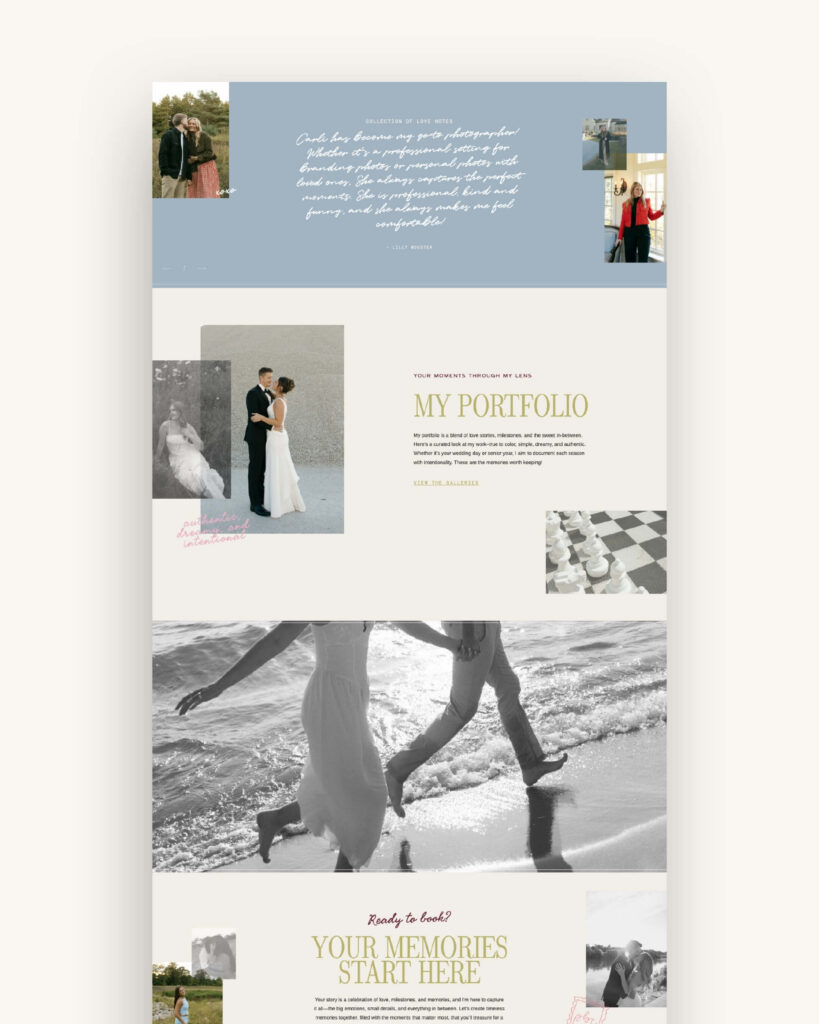
You do not need to become a developer to build an SEO-friendly Showit website. Starting with a thoughtfully built template means much of the structural work has already been considered.
An SEO-conscious Showit template should include:
- One H1 on each core page
- A logical hierarchy of H2 and H3 tags
- A complete mobile layout
- Clear navigation and calls to action
- Space for useful, keyword-relevant copy
- Curated image layouts that do not rely on enormous galleries
- Blog templates designed to make posts readable and easy to explore
You still need to replace the demo copy, update the SEO settings and optimize your own images. The template gives you a sound foundation so you are not fixing avoidable design issues before you can focus on your content.
That is how every Vanilla + Oak Showit website template for photographers is designed. The goal is not only to look beautiful in a preview. It is to help you launch a website that is clear, customizable and ready to support your business.
Want to Go Deeper on Showit SEO?
Good SEO is not one setting you switch on. It is the combination of useful content, clear structure, strong page experience and ongoing optimization.
The Easy DIY SEO for Showit Guide walks you through how to optimize your site step by step, without needing a technical background to follow it.
DOWNLOAD A FREEBIE
How to Launch a Showit Website Start to Finish
Looking to launch your dream website, but feeling overwhelmed with where to start? From purchasing your domain to publishing your site, this checklist will guide you through each step so you can launch your website with ease.